
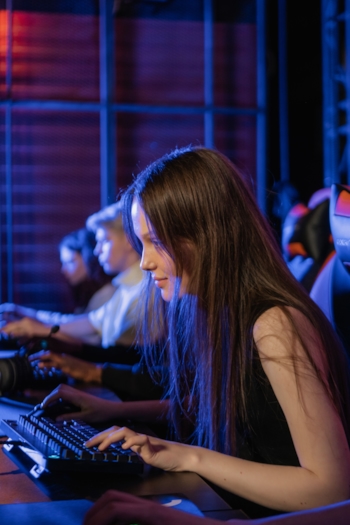
Sharing a gaming PC is a practical question with a practical answer, and it comes down to one variable more than any other: do both partners want to game at the same time? If yes, one PC does not solve that problem regardless of how good the PC is. If no - if their gaming times are naturally staggered or if one partner games infrequently - shared setups can work with reasonable organisation.
When Sharing One Gaming PC Makes Sense
Sharing a gaming PC is viable and practical in specific circumstances. The most common is where one partner is a dedicated gamer and the other plays occasionally or casually - the casual gamer uses the PC when the dedicated gamer is not, which may happen naturally without scheduling conflict. If the casual gamer's gaming needs are modest - they play a few hours per week, not necessarily at the same times as their partner - the shared setup may never produce a scheduling problem worth solving with a second system.
The second circumstance is where both partners game but at naturally non-overlapping times. If one partner games in the morning and the other in the evening, the PC is used sequentially rather than simultaneously and the sharing is frictionless. This is less common among dedicated gaming couples but describes some real households where work schedules and preferences produce this natural separation.
The technical setup for sharing a gaming PC has improved significantly. Modern Windows supports multiple user accounts with fully separate profiles, and Steam's family sharing features allow separate libraries or shared library access depending on configuration. Games with cloud save support allow both users to maintain separate save states. Peripherals - mice, keyboards, headsets - are easily swappable. The technical friction of sharing is real but manageable; the scheduling friction is the harder problem.
When Two Systems Is the Practical Solution
For two dedicated gamers who both want to game regularly and sometimes simultaneously, two systems is not a luxury - it is the practical requirement for a functioning gaming household. Simultaneous co-op gaming, where both partners are playing the same game together on their own systems, is one of the most reliably connective activities a gaming couple can share, and it is impossible with one PC.
Beyond co-op: even when gaming independently rather than together, two gamers who want to game during the same evening - one playing an MMO raid, the other playing a single-player RPG - need two systems to both do their own thing without one of them sitting out. The scheduling conflict that arises from one PC and two gaming people is a low-grade but regular relationship stressor that compounds over time. Two systems eliminates it entirely.
The two-system setup does not need to be two high-end PCs. A common solution among gaming couples is one powerful gaming PC (for the more intensive gaming partner) and a gaming laptop or a current-generation console for the other. This is often more cost-effective than a second full desktop while still enabling simultaneous gaming. Another common configuration is one gaming PC and one gaming-capable laptop, where the laptop serves double duty as both a work machine and a gaming system for the second partner.
Console Setups for Gaming Couples
Consoles present a slightly different situation. Most couples with a console-focused gaming setup either have separate controllers and take turns (for single-player games), have local co-op games they play together on one screen, or have a console and a handheld (like a Nintendo Switch) that allows simultaneous gaming of different games without requiring two of the same system. The Nintendo Switch's portable and home modes make it particularly flexible for gaming couples - one partner plays on the TV while the other plays the Switch in handheld mode.
Couples who mix PC and console are common and often describe the mixed-platform setup as natural - one partner's gaming preferences tend toward PC and the other toward console, and the separate systems align with their respective preferences rather than being a compromise. The practical challenge is online multiplayer together, which can require both partners to be on the same platform for many titles. Game Pass and PlayStation Plus's cross-platform features have improved this situation for some categories of games.
Gaming Room Layouts for Couples
The physical organisation of a gaming couple's setup is its own design challenge. The two most common approaches are separate gaming areas in different rooms (one partner has a desk in the office, the other in the living room) and a shared gaming room where both have dedicated desks side by side. The shared room approach is popular among gaming couples who enjoy the social presence of gaming together even when they are playing different games - parallel play, comfortable in the same space, interacting naturally during loading screens or between sessions.
Audio is the primary friction point in a shared gaming room. Two people playing different games in the same space with game audio playing create interference for each other. The standard solution is headphones - both partners wearing headsets during their respective gaming sessions, which eliminates the audio conflict and also provides the voice chat infrastructure needed for online play. Many gaming couples describe this as completely natural rather than isolating; the shared physical presence is maintained even while the audio is kept separate.
Frequently Asked Questions
-
Can two people share one gaming PC?
Technically yes - a gaming PC can support multiple Windows user accounts with separate Steam libraries, game saves, and settings profiles, so two people can share the hardware while maintaining separate gaming identities. The practical challenge is scheduling: two gamers who both want to game at overlapping times will inevitably conflict. For couples where one person games significantly more than the other, or where their gaming time naturally separates, shared setups can work. For two dedicated gamers who want to game simultaneously, two systems is the practical solution.
-
What is a good budget gaming setup for a couple?
Two mid-range gaming PCs will serve a gaming couple better than one high-end PC, because simultaneous gaming is one of the most reliably bonding activities gaming couples can have and it requires two systems. Budget gaming laptops in the £600-900 / $700-1000 range are increasingly capable and allow both partners to game simultaneously - whether playing together in co-op or playing their respective games independently. The flexibility of simultaneous gaming pays back the additional setup cost relatively quickly.
-
How do gaming couples set up their space?
Gaming couple setups range from a dedicated shared gaming room with two full desks and monitors to one partner with a PC and the other with a console in the same room. The key is having enough space for both people to game simultaneously when they want to, and enough separation to not interfere with each other's audio and focus. Many gaming couples use headphones as the primary solution to audio conflict - both gaming in the same room, both on headphones, no interference.